Choose the post or Reel
Attach the automation to selected Instagram media, or choose all posts and Reels when the same reply fits everywhere.
When someone asks for a link in your comments, give that post its own reply. Choose a post or Reel, decide whether any comment or one keyword should trigger it, and write the message they will receive.
For creators sharing a guide, shops answering product questions, and studios promoting a specific launch.
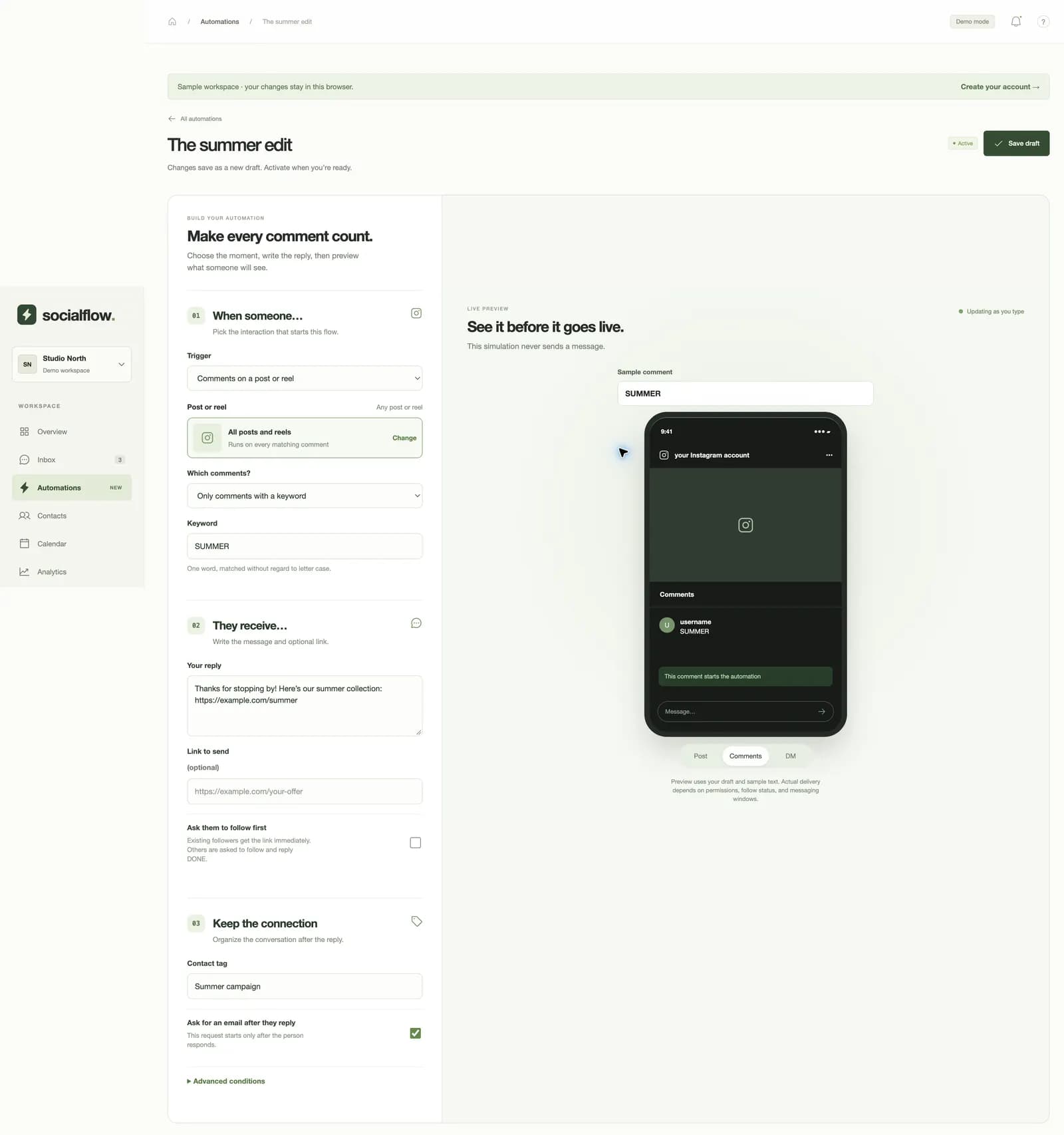
On a Reel about a new collection, a person comments “SUMMER”. Socialflowkit matches that keyword without regard to letter case and starts the reply you wrote for that campaign.
Attach the automation to selected Instagram media, or choose all posts and Reels when the same reply fits everywhere.
Respond to any comment, or require a specific keyword. Preview a sample comment before activating the flow.
Add your message and an optional link. Tag the contact or ask for an email after they respond if you need to continue the conversation.
A product launch can share a product URL while a tutorial Reel shares a guide. Clone a flow when you want a starting point for another post.
You can ask people to follow and reply DONE before the link is sent. If follow status cannot be checked, delivery waits and the person is asked to try again.
The resulting conversation lives in the inbox, where you can take over and reply personally.
Yes. Create a flow for a selected post or Reel and give that flow its own message and link.
Yes. A keyword such as SUMMER also matches “summer”. You can instead choose to respond to any comment.
Only if you enable the follow-first option. Without it, the reply follows your comment rule and Instagram delivery eligibility.