Create a post
Choose the Instagram format, write a caption, and provide a publicly accessible HTTPS media URL.
Move ideas out of scattered notes and into a publishing plan. Draft a caption, see upcoming posts in one calendar, and schedule eligible Instagram content when your media is ready.
For solo creators and small teams who need a steadier posting rhythm without another spreadsheet.
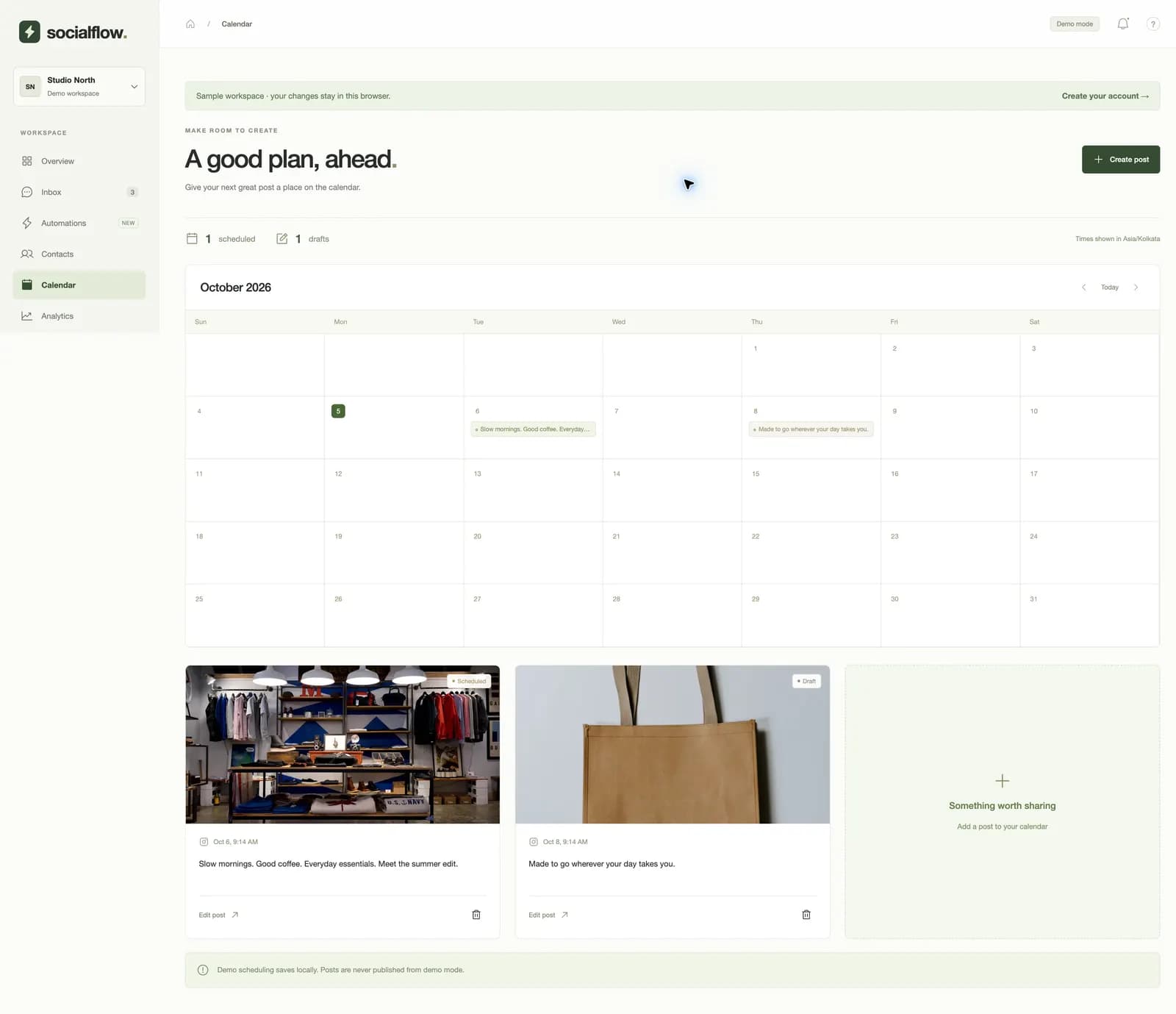
A shop drafts Tuesday’s product photo and schedules Friday’s Reel. Both appear in the same calendar, with their status and planned time visible.
Choose the Instagram format, write a caption, and provide a publicly accessible HTTPS media URL.
Keep an idea as a draft or set a date and time for eligible content to publish.
See drafts and scheduled posts together, then edit or remove them as plans change.
A monthly view makes it easier to spot empty days and avoid posting two pieces at the same time.
Plan images, carousels, and Reels supported by the current Instagram publishing flow.
Work on copy and timing before a post becomes a scheduled item.
The current publishing flow uses a public HTTPS media URL. Direct video upload and private Drive import are not part of this scheduling promise.
No. Demo posts are saved locally in your browser so you can explore the calendar safely.
Yes. Free includes URL-based scheduling for one connected Instagram account, subject to publishing eligibility.